Vault Creation
This page assumes you are already whitelisted as a manager. If you are not, complete Manager onboarding first.
In Orion, a vault is an ERC-7540 smart contract that acts as a container for strategy parameters, fee structure, access controls, and accounting. There are two main types:
- Transparent vaults: Portfolio allocations are visible onchain.
- Private (encrypted) vaults: Allocation weights and holdings are HPKE-sealed offchain before
submitIntent, and the resulting ciphertext is stored onchain, while performance (TVL, share price) and deposit/redeem activity remain verifiable, protecting manager alpha (competitive advantage or strategy edge).
How vaults appear to investors: Permissioned vaults, Understanding vault metrics, and Privacy.
You can create vaults in the app or with the Python SDK. Both configure the same parameters.
Create a vault in the app
Connect your whitelisted wallet on the chain where the vault should live (Ethereum Mainnet for production, Sepolia for testnet), then open Create Vault from your wallet menu in the top right.
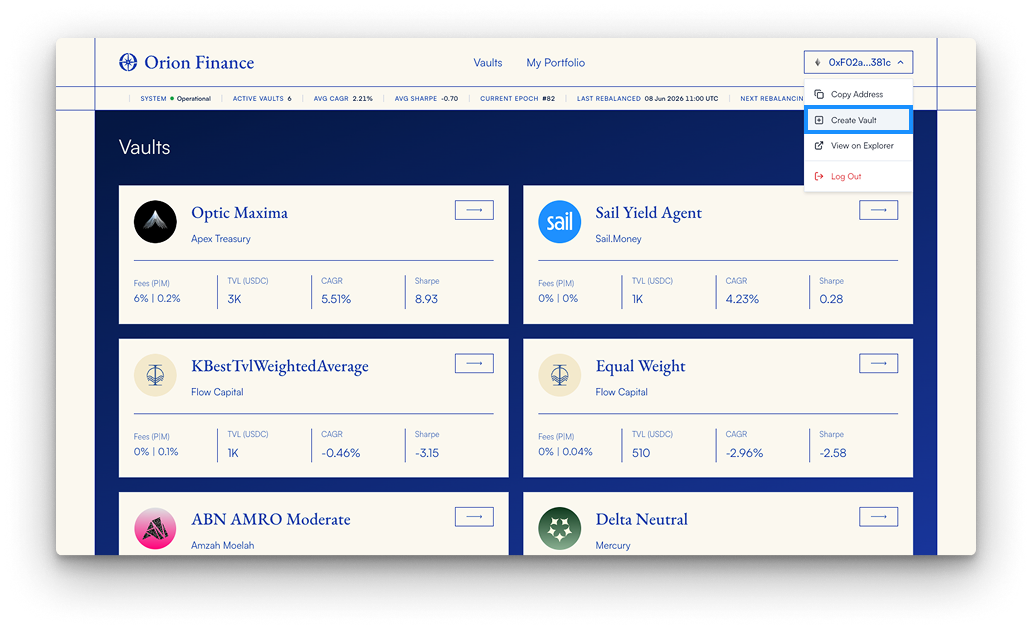
The flow has three steps: Identity, Access, and Fees. A live preview on the right updates as you go.
1. Identity
Choose vault type (transparent or private), then set the vault name and symbol.
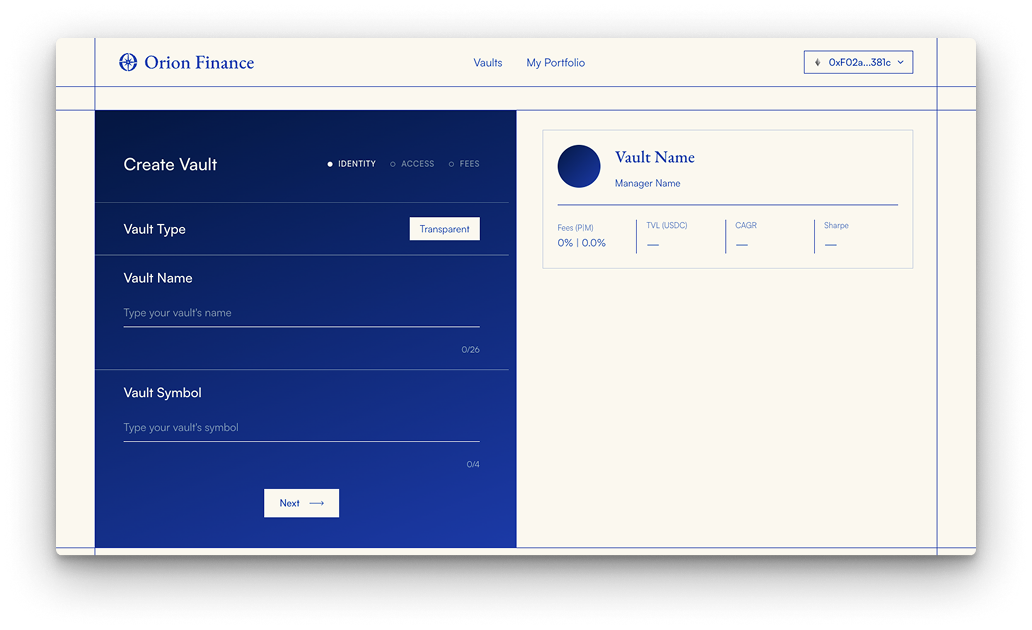
2. Access
Set the strategist address (defaults to your connected wallet; use My Address to fill it) and optional access control contracts for deposits, share holding, and transfers. Leave each slot empty or use Permissionless for open access on that dimension.
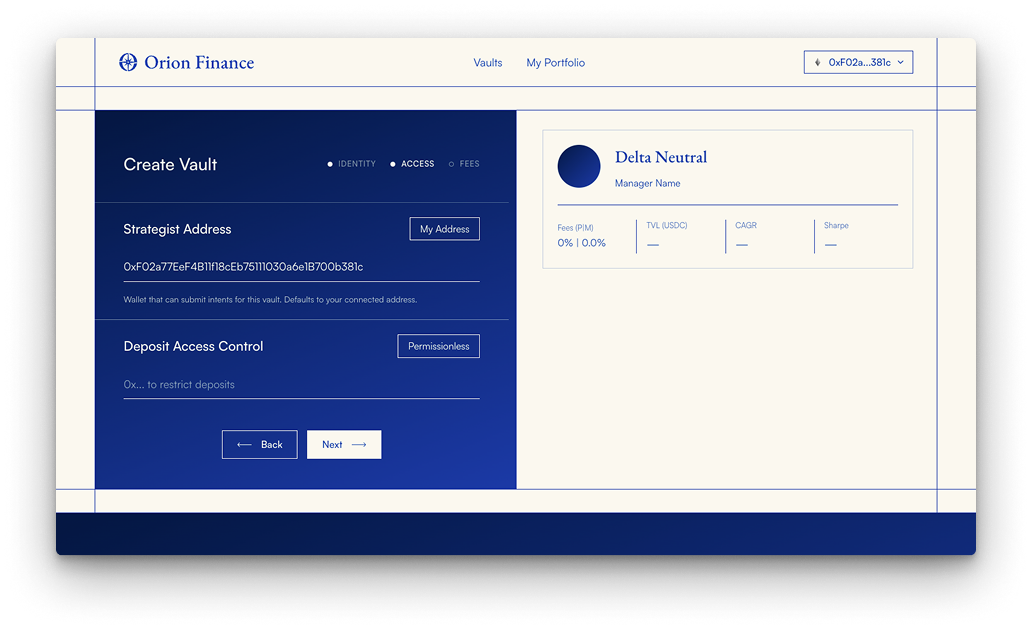
3. Fees
Choose a fee model and set performance and management fees within protocol caps (up to 30% performance and 3% management). Confirm with Create Vault.
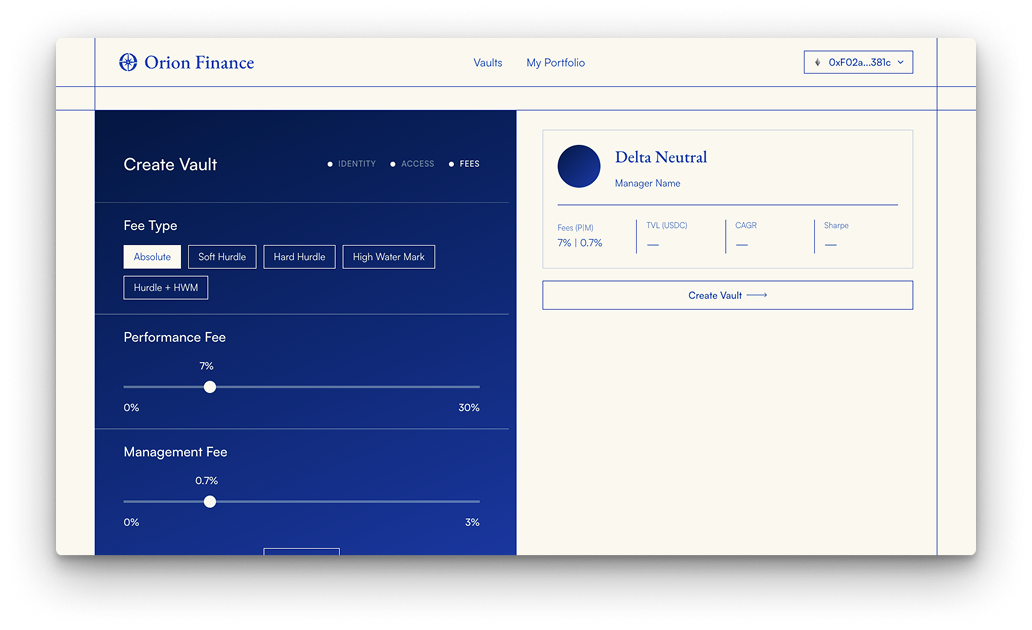
App video walkthrough
Video of the Create Vault flow in the Orion app.
After the vault is deployed, submit an allocation intent as the strategist; see Strategist role.
Create a vault with the SDK
Programmatic vault deployment uses the same parameters as the app. GIF walkthrough of the Python SDK flow:
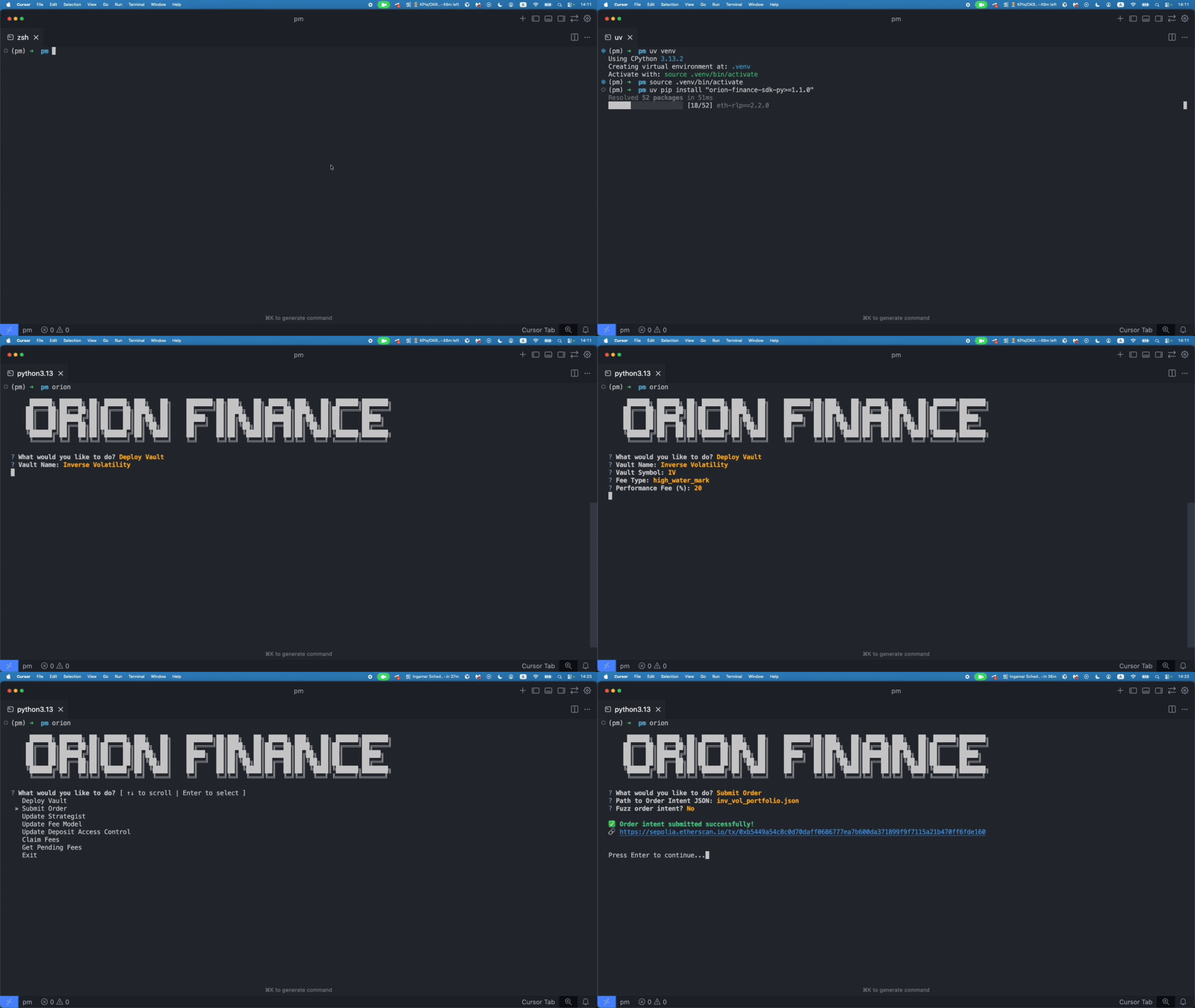
Full API reference: Orion SDK.
Configuration parameters
| Parameter | Description |
|---|---|
strategist | The address of the Strategist. |
name | The human-readable name of the vault. |
symbol | The symbol of the token representing the vault shares. |
feeType | The Vault Fees Model. |
performanceFee | The performance fee in basis points. |
managementFee | The management fee in basis points. |
depositAccessControl | Optional deposit access controller (address(0) = permissionless). |
holderAccessControl | Optional holder access controller (address(0) = permissionless). |
transferAccessControl | Optional transfer access controller (address(0) = permissionless). |
Note: 1 basis point = 0.01%